

728x90
[ 2023. 5. 21 기준]
DOWNLOADS 메뉴 클릭 ->
MySQL Community (GPL) Downloads 클릭 ->
MySQL Installer for Windows 클릭 ->
최신버전 확인 후
Go to Download Page > 클릭
Windows (x86, 32-bit), MSI Installer (용량 큰거) - 다운로드 클릭
Login 버튼 , Sign up 버튼 클릭 하지 말고 아래..
No thanks, just start my download. << 클릭 다운로드
오류메세지 - 다운 받은 파일 설치
*) 추가설치 : https://www.microsoft.com/en-us/download/details.aspx?id=42642
설치과정)

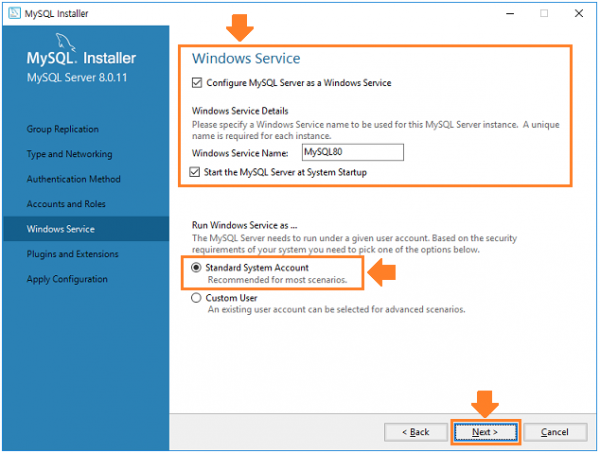
※비밀번호는 MYSQL 실행할때 입력하는 비밀번호이다. 따라서 잊지않을 비밀번호를 사용하자
연습할때는 임의로 1111을 사용했다
'DATABASE > MySQL & MariaDB' 카테고리의 다른 글
| [mysql] 덤프 및 임포트 방법(데이터 이동) (1) | 2024.05.20 |
|---|---|
| [mysql] 데이터베이스 함수 (1) | 2024.05.19 |
| [mysql] 내용 입력, 수정, 삭제 (0) | 2024.05.11 |
| [mysql] 테이블 생성, 수정, 삭제 (0) | 2024.05.11 |